How to Build a Home Gaming Room on a Tight Budget
Nothing kills the excitement of a new game faster than playing in a cramped, uncomfortable corner with cables everywhere and nowhere to put your gear.

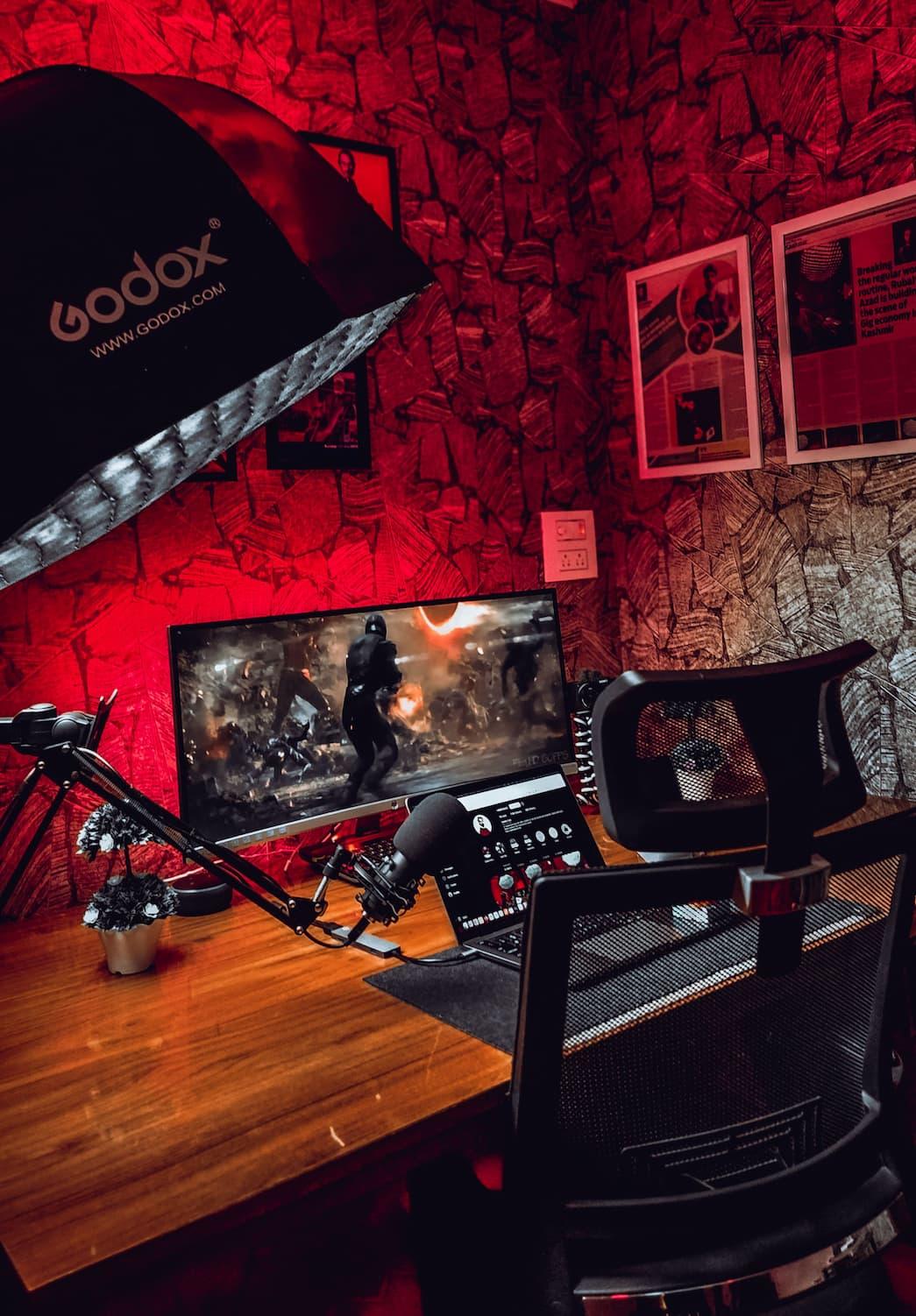
Nothing kills the excitement of a new game faster than playing in a cramped, uncomfortable corner with cables everywhere and nowhere to put your gear. You don't need a huge spare room or a four-figure budget to fix that. You just need a smart plan that focuses on comfort first and extras later.
1. Pick the Best Spot You Already Have
Walk around your home and look for a quiet area where you can play without constant interruptions. A spare bedroom is great, but a corner of your living room or bedroom works just as well if you give it a clear purpose. Measure the space before you buy anything, even if it's just a desk. That five-minute step stops you from bringing home furniture that doesn't fit or leaves you with no room to move your chair.
2. Set a Budget You Won't Break
Decide how much you can spend before you start shopping, then split that amount into simple categories like furniture, lighting, storage, and decorations. Leave a small amount aside for unexpected costs because you'll almost always need an extra cable, extension lead, or storage box. If your budget feels tight, spend most of it on the things you'll touch every day instead of decorations. A comfortable chair and solid desk will improve every gaming session, while fancy wall art can always wait.
3. Buy the Essentials Before the Extras
Start with a desk, a chair, and enough space for your gaming system or PC. If you already own furniture that works, keep using it until it actually needs replacing. Check local second-hand listings, charity shops, garage sales, or family members who might have spare furniture sitting unused. A clean, sturdy second-hand desk often performs just as well as a brand-new one for a fraction of the price.
Pro Tip: Spend your biggest share of the budget on comfort, not appearance. You'll notice a supportive chair every single day, but you'll stop noticing expensive decorations after the first week.
4. Keep Cables Under Control From Day One
Gather every cable behind your desk instead of letting them spread across the floor. Use reusable cable ties, adhesive clips, or even simple twist ties to keep everything together. Label chargers and power cables with small pieces of masking tape so you know exactly what belongs to each device. A tidy setup looks better, makes cleaning easier, and saves you from pulling out the wrong cable when you're changing equipment.
5. Use Lighting to Change the Feel of the Room
Position your main light so it doesn't shine directly onto your monitor or television. Add one inexpensive lamp behind your screen or beside your desk to reduce harsh contrast when you play at night. If you want colour in the room, choose one affordable light source instead of filling every corner with LEDs. A single warm, consistent light often creates a more relaxing space than several bright lights competing for attention.
6. Add Storage Before the Clutter Builds Up
Find a home for every controller, headset, game case, and charging cable before they start piling up on your desk. Small shelves, plastic storage boxes, or simple drawer organisers cost very little and make the room feel bigger because surfaces stay clear. Keep the items you use every day within easy reach and store everything else out of sight. Spending five minutes putting things away after each session keeps the room organised without feeling like a chore.
7. Personalise the Space Without Spending Much
Use things you already own to make the room feel like yours. Hang posters you like, display a few favourite game boxes, or frame artwork instead of buying expensive decorations. Pick one colour theme so everything feels connected, even if the items came from different places over several years. Small personal touches usually make a stronger impression than filling every wall with new purchases.
Common Mistake to Avoid
The biggest mistake beginners make is trying to finish the entire room in one shopping trip. That usually leads to buying cheap extras that looked exciting in the store but don't improve the space once they're home. Build your gaming room in stages instead. Use it for a few weeks, notice what's missing, and let each purchase solve a real problem instead of filling empty space.
Now you're ready to build a gaming room that feels comfortable, organised, and enjoyable without emptying your bank account. Start with one step today, keep improving the space over time, and you'll end up with a setup you'll actually want to spend time in.

Devon Walker
Author at SofaBreak — writing on guides and everyday curiosities.