How to Set Up a Comfortable Space for Both Gaming and Watching
You can have a great TV, a powerful console, and a comfortable sofa, then ruin the whole setup by putting them in the wrong places

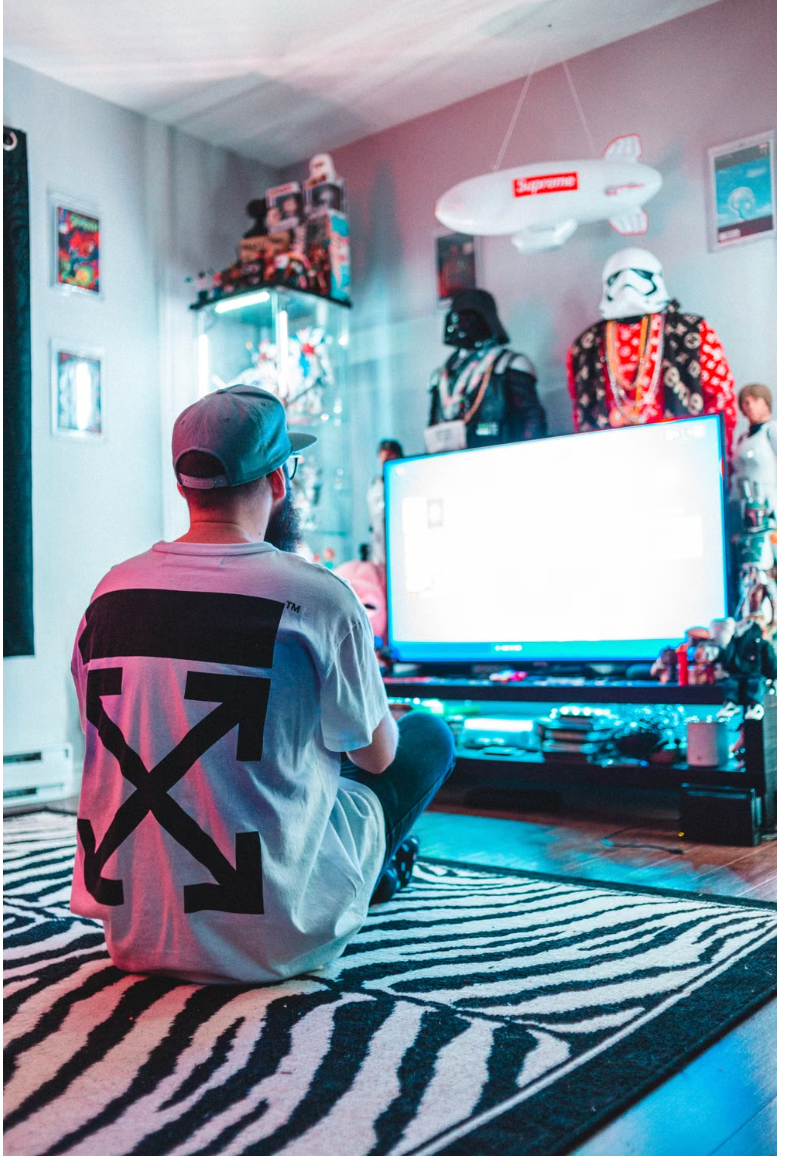
You can have a great TV, a powerful console, and a comfortable sofa, then ruin the whole setup by putting them in the wrong places. A screen that’s too high strains your neck, bad lighting makes your eyes work harder, and a controller cable or charging lead across the floor gets annoying fast.
The good news is that you don’t need a dedicated gaming room or expensive furniture. You need to get the basics right in the right order.
1. Choose Your Main Sitting Position First
Sit where you expect to spend most of your gaming and watching time before you move anything else. Your sofa or chair should let you face the screen without twisting your neck or turning your body, so avoid placing your main seat at a sharp angle to the TV.
Leave enough room around the seat to stand up and walk past without squeezing between furniture. If you’re using a recliner, extend it fully and check the clearance before deciding where it belongs. And if two or more people regularly use the space, sit in every position to make sure nobody gets stuck with a terrible side view.
Your seating position becomes the reference point for everything that follows.
2. Put the Screen at a Comfortable Height
Sit normally and look straight ahead. The middle area of your TV or monitor should sit close to your natural line of sight, rather than forcing you to tilt your head noticeably upward.
This matters because you might stay in the same position for two or three hours during a film or a long gaming session. If your TV is mounted high above a fireplace or tall cabinet, you can end up watching with your chin raised the entire time. Lower the screen, use a shorter TV unit, or adjust your seating until you can look at the picture while keeping your neck relaxed.
Pro Tip: Test the screen position for 15 minutes before drilling holes or moving heavy furniture permanently. Sit exactly as you would during a normal gaming session, then watch the top, middle, and bottom of the screen. If you keep adjusting your head instead of just moving your eyes, change the screen height.
3. Get the Viewing Distance Right for Both Activities
Gaming and watching don’t always work best from exactly the same distance. Games often contain small menus, subtitles, maps, inventory icons, and other details that can become difficult to read when you’re sitting far away.
Start from your normal sofa position and open a game with plenty of interface text. If you can read everything comfortably without leaning forward or squinting, you’re in a workable position. Then play a film or TV episode and check that the screen doesn’t feel so close that your eyes have to jump around to follow the action.
If one position doesn’t work for both, don’t redesign the room immediately. Add a lightweight chair, floor chair, or movable seat that you can bring slightly closer for gaming and move away when you want the room back.
4. Control Light Instead of Making the Room Completely Dark
Look at your screen during the time of day when you’ll use the room most. If you can see a window, lamp, or bright doorway reflected in dark scenes, change the light source or screen angle rather than simply increasing the TV’s brightness.
Use curtains or blinds for windows that create daytime glare. At night, place a soft lamp beside or behind the viewing area instead of pointing a bright bulb toward the screen. A small light behind the TV can also stop the screen from feeling like one bright rectangle floating in a completely dark room.
Keep direct light away from your eyes too. If you can see a bare bulb from your normal sitting position, move the lamp, change its angle, or add a shade.
5. Make Controllers, Remotes, and Charging Easy to Reach
Decide where your controller, TV remote, headset, and charging cables will live when you aren’t using them. A small side table, drawer, basket, or shelf beside the sofa works better than leaving everything scattered across the seat.
Put charging access close enough that you don’t have to run cables across a walking route. If the nearest socket is behind the sofa, position your power setup so plugs remain accessible instead of forcing you to drag furniture away from the wall whenever a controller needs charging.
Give frequently used items permanent spots. When your remote always goes in the same tray and your controller always goes on the same shelf, starting a game or film takes seconds instead of turning into a search between sofa cushions.
6. Fix Your Sound Without Annoying Everyone Else
Start by listening from your normal seat rather than standing next to the TV. Dialogue should sound clear at a comfortable volume, so check a conversation-heavy scene before judging the setup using explosions, music, or game effects.
If you use separate speakers, aim them toward the main seating area and keep objects from blocking them. Don’t hide a speaker behind a sofa arm, stack of games, plant, or cabinet door and then compensate by turning the volume higher. For late-night gaming or watching, keep a comfortable headset within reach so you can switch without reorganising the room.
Then check where your console or media equipment sits. Leave open space around vents and avoid stuffing heat-producing electronics into a packed cabinet with no airflow.
7. Clear the Floor and Test the Whole Setup
Walk from the doorway to the sofa, then from the sofa to the console, shelves, and any other area you regularly use. Move charging cables, extension leads, headset wires, and loose accessories out of those paths.
Secure cables along the back of furniture or walls where practical. Bundle excess cable length rather than leaving loops on the floor, and avoid stretching wires tightly between devices where someone can catch them with a foot.
Finally, spend one full evening using the room normally before calling the setup finished. Play a game, watch something, charge a controller, get up for a drink, and notice every little irritation. Move anything that makes you lean, reach, squint, twist, trip, or repeatedly stand up.
Common Mistake to Avoid
Don’t arrange the room around how it looks when nobody’s using it. Beginners often centre the TV perfectly on a wall, push the sofa into the most visually tidy position, and only discover later that the screen reflects a window or everyone has to watch at an angle. Test every decision from the seat where you’ll actually spend your time, because comfort matters more than perfect furniture symmetry.
Now you’re ready to build a gaming and watching space that works without filling the room with specialist gear. Set your seat and screen first, fix each annoyance as you notice it, and you’ll end up with a space you can use for hours without fighting the setup.

Ira kapoor
Author at SofaBreak — writing on guides and everyday curiosities.