How to Set Up a Live Streaming Gaming Setup on Any Budget
You don't need a room full of glowing gear to start streaming. What stops most people is the feeling that everyone else knows some secret combination of equipment, software, and settings that you somehow missed.

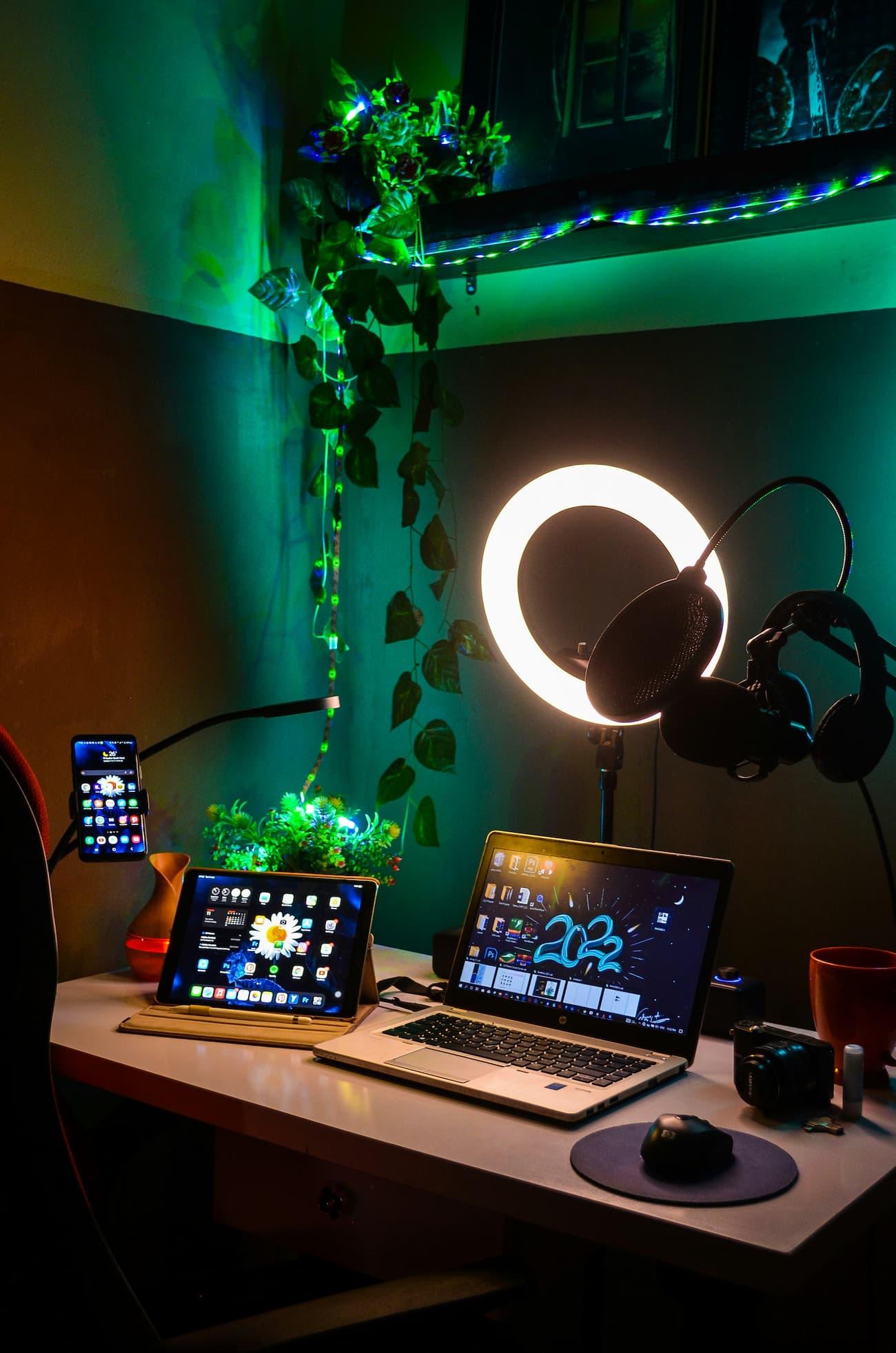
You don't need a room full of glowing gear to start streaming. What stops most people is the feeling that everyone else knows some secret combination of equipment, software, and settings that you somehow missed. The good news is that live streaming is much simpler than it looks once you break it into a few practical steps.
1. Decide What You're Streaming and What You Already Own
Start by making a quick list of what you have right now. That could be a laptop, a gaming PC, a console, a headset with a microphone, or even a spare webcam from an old video call setup. Don't assume your setup isn't "good enough" before you've tested it.
Next, decide what you'll stream most often. Fast-paced competitive games, relaxed simulation games, and creative streams all have different demands, but beginners don't need specialized equipment for any of them. Your first goal isn't perfection. It's getting live with gear you already understand.
Finally, set a realistic budget. Maybe it's nothing at all. Maybe it's enough to replace one weak point in your setup. Giving yourself a spending limit keeps you focused on what actually improves your stream.
2. Build Around the Essentials First
You only need four things to stream: a device that runs your game, a stable internet connection, a microphone, and streaming software. Everything else is optional at the beginning.
If your computer handles your games comfortably, you're already ahead. If you're using a console, check that it supports direct streaming features or works with your existing setup. Test your internet speed during the hours you normally play because evening performance can differ from midday results.
Pay special attention to audio. Viewers will forgive average video quality faster than they'll tolerate crackling, echoing, or muffled sound. Use the microphone you already have and listen to a short recording through headphones before going live.
3. Set Up Your Streaming Software Without Overcomplicating It
Install streaming software and walk through its basic setup process one screen at a time. Resist the urge to customize every option immediately. Most default recommendations exist because they work well for beginners.
Create a simple scene that includes your gameplay feed, microphone input, and webcam if you plan to use one. Label each source clearly so you don't forget what you're adjusting later. Then record a short private test instead of going live right away.
Watch that recording back. Check whether your voice sounds clear, whether the gameplay stutters, and whether everything stays in sync. Small fixes now save you from a stressful first broadcast.
Pro Tip: Record a five-minute private test stream before every major change to your setup. You'll catch audio problems, missing sources, and performance issues before your viewers do.
4. Focus on Lighting and Sound Before Video Quality
People often assume they need expensive cameras. In reality, good lighting makes a bigger difference than chasing higher resolutions.
Sit facing a lamp or window instead of placing bright light behind you. Avoid overhead lighting that creates harsh shadows across your face. Even moving a desk lamp a few feet can dramatically improve how you appear on camera.
Then revisit your microphone setup. Move it slightly closer to your mouth and farther from noisy keyboards or fans. Record another sample and listen critically. If you can understand every word clearly, you're in good shape.
5. Create a Stream Layout That Doesn't Distract
Simple layouts work best. You don't need animated borders, spinning graphics, or alerts covering half the screen.
Leave most of the screen dedicated to gameplay. Place your webcam where it doesn't block important game information. Use readable text if you include labels or notifications, especially because many viewers watch on their phones.
Open your layout on another device before streaming. What looks fine on a large monitor can become cluttered on a smaller screen. If something feels crowded, remove it.
6. Practice Going Live Without an Audience
Your first stream doesn't have to be public. Run a private broadcast and pretend viewers are already there.
Talk through what you're doing in the game. Explain your decisions out loud, even if it feels awkward at first. Silence stretches much longer than you think during live content.
Practice switching scenes, adjusting audio, and responding to imaginary technical issues. Familiarity reduces panic. By the time real viewers arrive, basic tasks will feel automatic.
7. Improve One Thing at a Time
After your first few streams, resist the temptation to replace everything. Beginners often spend money chasing problems that practice would solve for free.
Take notes after each session. Did viewers mention audio levels? Did your game performance dip? Did you struggle to manage chat while playing? Fix the issue that affected the experience most.
Small improvements add up quickly. One month from now, your setup will feel dramatically better because you've made intentional adjustments instead of random upgrades.
Common Mistake to Avoid
The biggest mistake beginners make is waiting until everything feels perfect. They spend weeks tweaking overlays, comparing equipment, and changing settings without ever pressing the "Go Live" button. Streaming is a skill built through repetition. Your first stream won't be flawless, and it doesn't need to be. Starting teaches you more than endless preparation ever will.
Now you're ready to stop staring at setup guides and start creating your own live experience. Press the button, learn as you go, and give yourself permission to improve one stream at a time.

Jude Archer
Author at SofaBreak — writing on guides and everyday curiosities.